Blue Team Labs Online - Ben
Ben received a phishing email and an attachment explaining to him a New Salary Negotiation process at the company.
Reverse Engineering
Tags: Noriben Kernel EML Viewer FTK Imager T1566.002 T1056.001
Scenario Ben was working very hard at FaanG industries to get a maximum percentage of the hike. He was talking about this with his HR as well. While he was preparing for a Salary Negotiation meeting, Ben received a phishing email and an attachment explaining to him a New Salary Negotiation process at the company. This resulted in the theft of the super-secret Database credentials of Ben. Necessary remediation steps were taken to reduce the damage. CISO advised the security team to study Ben’s case, analyze the Evidence and prepare an Awareness workshop with technical details of the attack. Evidence and the necessary analysis tools were placed on the Desktop. Note: If prompted for Admin Privileges choose BTLOPlayer account.
Environment Awareness
Evidence & Tool Discovery
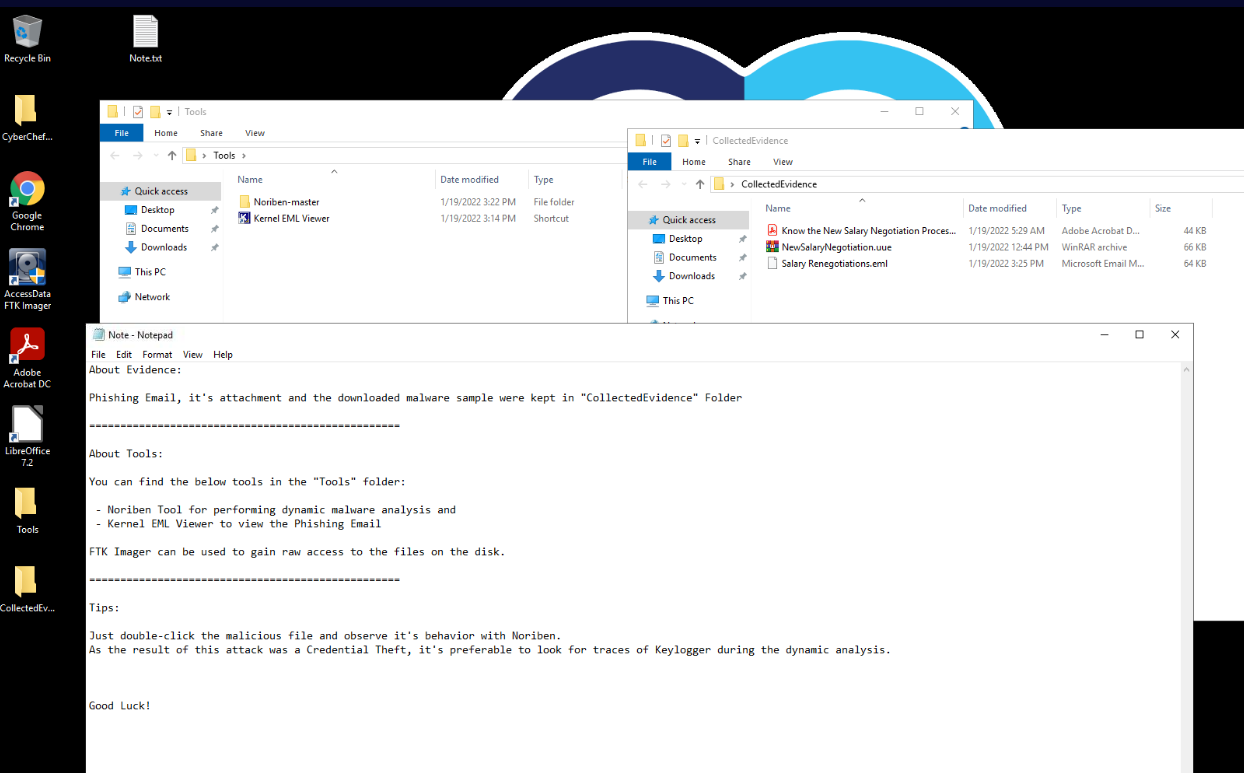
There is a note on the desktop that telling us that all evidences needed for this investigation is located in CollectedEvidence folder and we have Noriben and Kernel EML Viewer as tools to analyze all evidences provide.
We also have FTK Imager, LibreOffice and Adobe Acrobat DC shortcuts on the desktop so lets keep that in mind and it might come in handy later
Investigation
Q1) Submit the subject line of the phishing email (Format: Subject String)
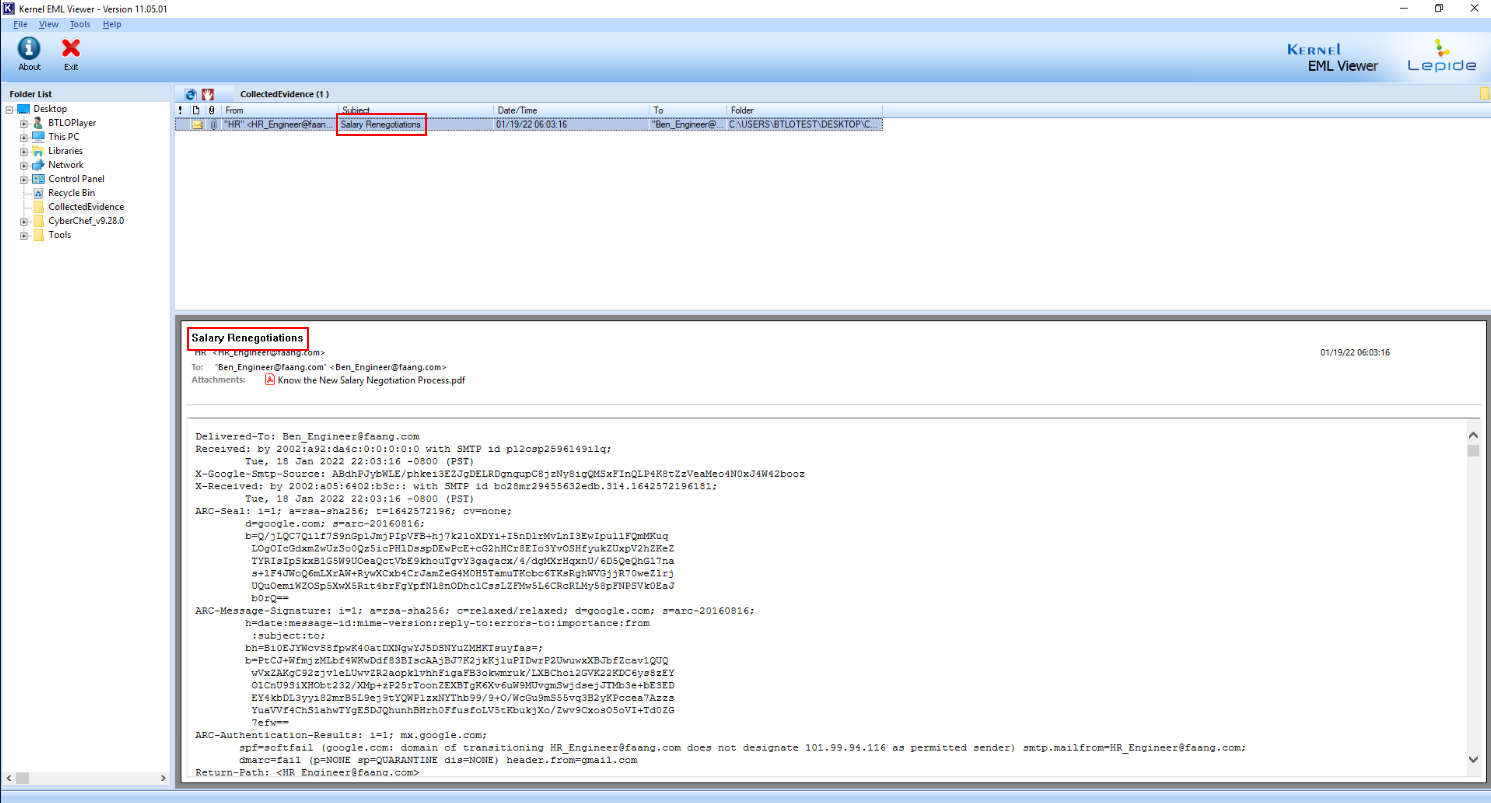
We can use Kernel EML Viewer to open eml file which we can see that the subject of this email right here.
Answer
Salary RenegotiationsQ2) Submit the FROM and TO addresses of the phishing email (Format: FromMailbox@domain.tld, ToMailbox@domain.tld)
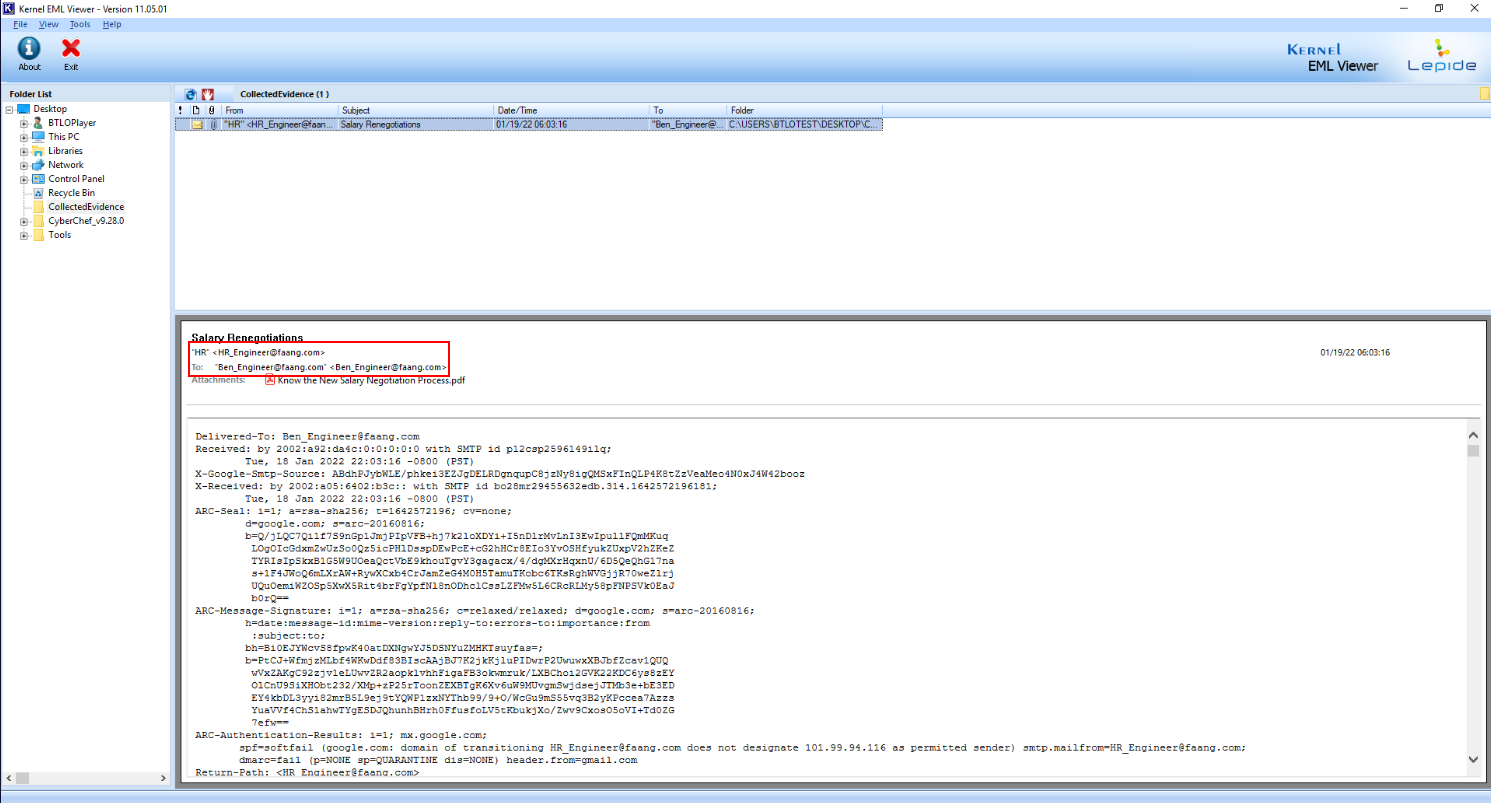
We can see that the attacker make it appear as this email was sent from HR to Ben so he would follow what the attacker want him to do.
Answer
HR_Engineer@faang.com, Ben_Engineer@faang.comQ3) Submit the download link observed in the email attachment (Format: https://www.domain.tld/path/something)
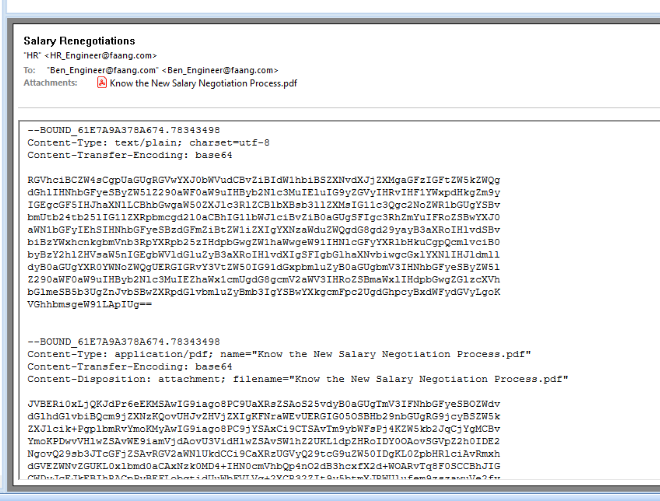
We will have to decode body part of this email with base64 to read the message that was sent to Ben
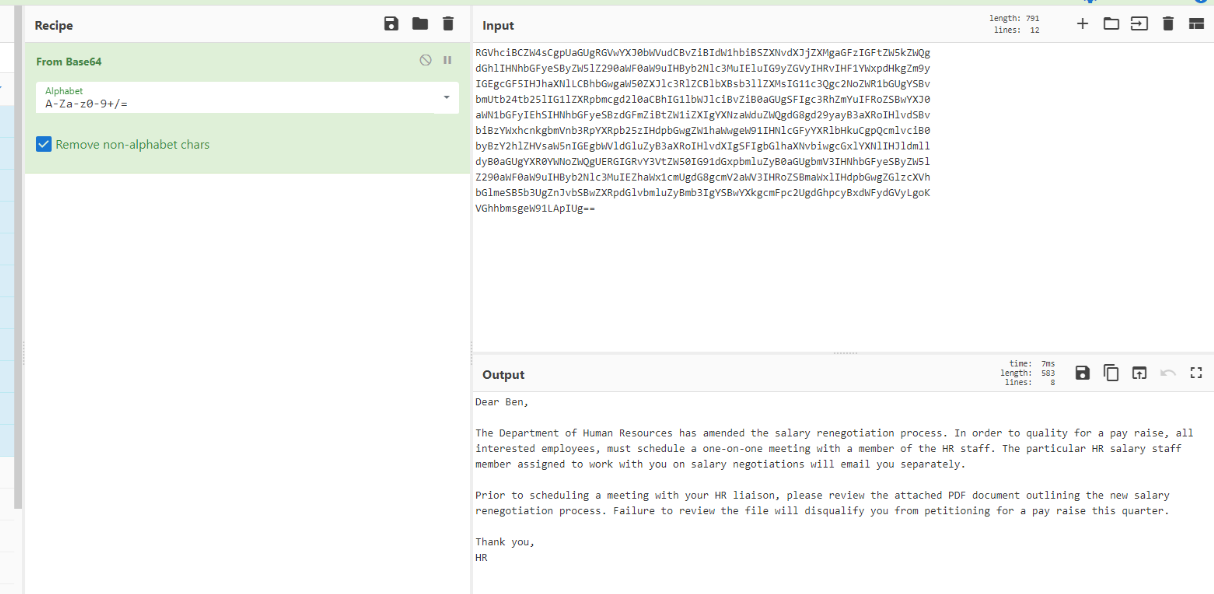
Every investigation system came with CyberChef so we can use it to decode which we can see that the attacker wanted Ben to review pdf attachment.
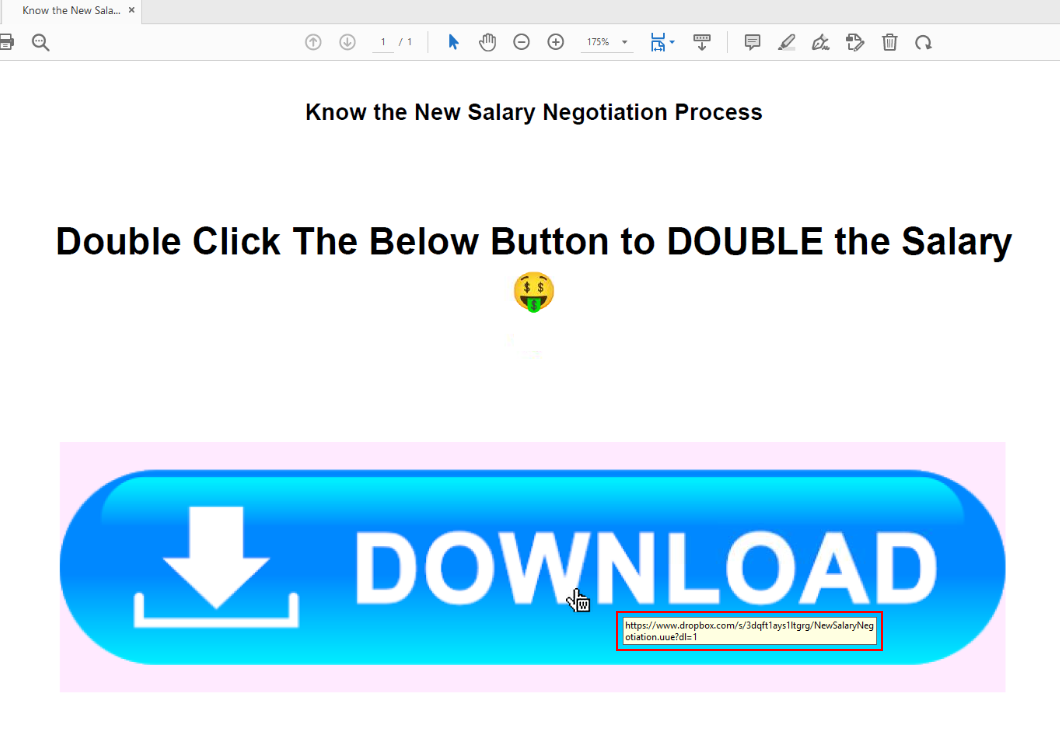
After we opened pdf document then we can see that its a cheap trick that will trick user to click the bottom which lead to specific URL.
Answer
https://www.dropbox.com/s/3dqft1ays1ltgrg/NewSalaryNegotiation.uue?dl=1Q4) Submit the extension of the file that will be downloaded when the malicious link is clicked (format: .extension)
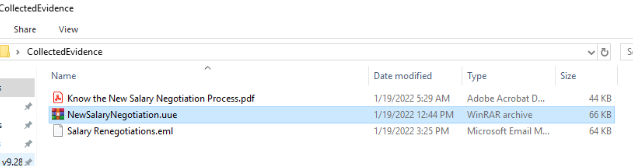
We already have the file that Ben was supposed to download right here and we can see that its using UUE file extension to contains another file inside.
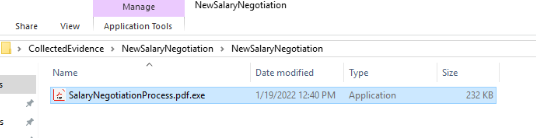
And that file is a PE32 executable masquerade as pdf file.
Answer
.uueQ5) Submit the Mutex used by the malware sample (Format: {mutex})
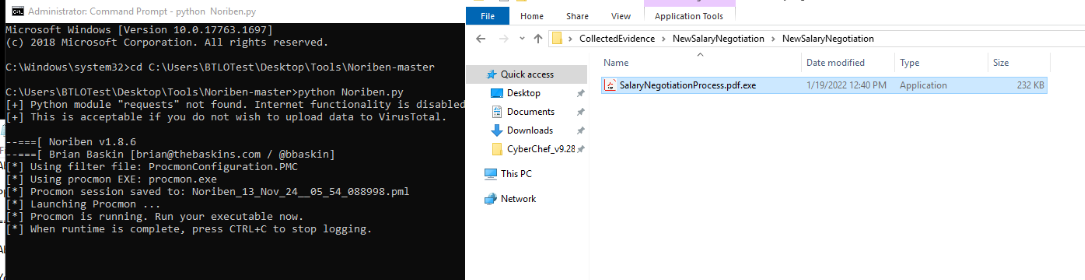
Lets fire up Noriben with python Noriben.py and now our sandbox should be ready for a malware to be detonated.
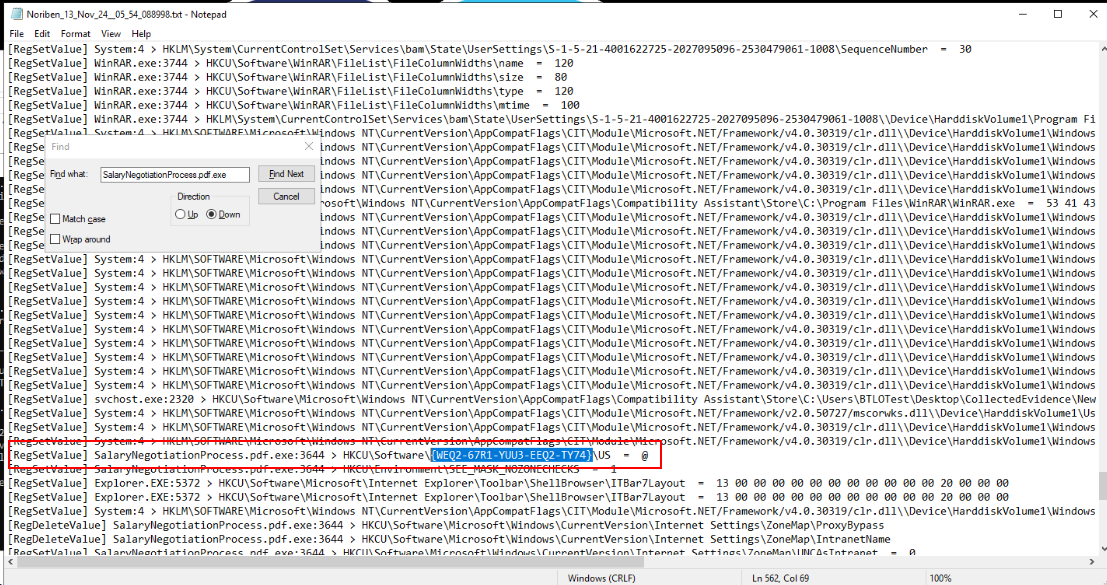
After we detonated fake pdf file, we can see that this file created a new registry as Mutex
Answer
{WEQ2-67R1-YUU3-EEQ2-TY74}Q6) The malware replicated itself in two locations to maintain persistence. Submit both locations according to the timeline - so submit the first file then the second file (Format: C:\path\file.ext, C:\path\file.ext)
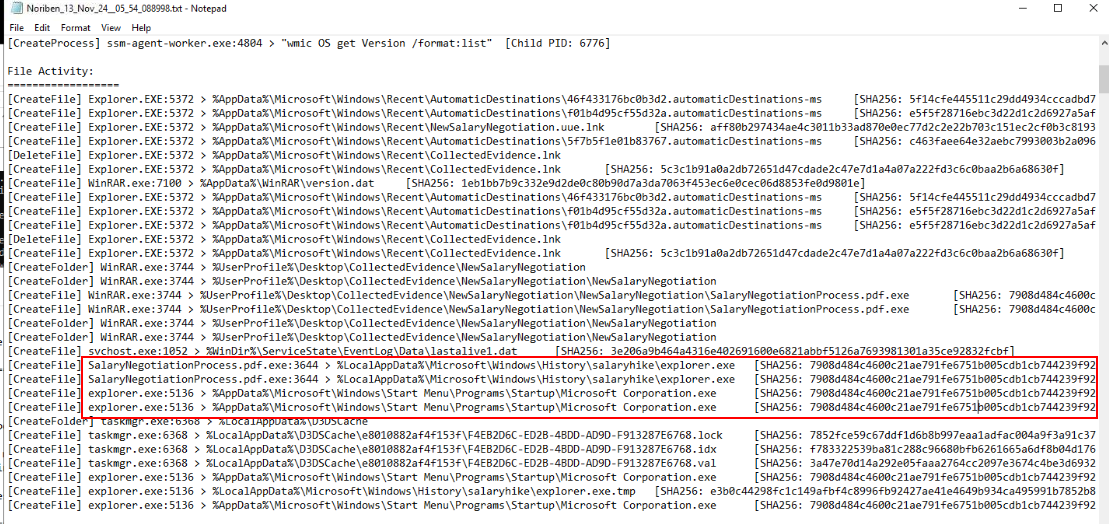
Take a look at file activities then we can see that there are 2 suspicious PE32 executable were created and after review their SHA256 hash, its identical to the one we just executed.
Answer
C:\Users\BTLOTest\AppData\Local\Microsoft\Windows\History\salaryhike\explorer.exe, C:\Users\BTLOTest\AppData\Roaming\Microsoft\Windows\Start Menu\Programs\Startup\Microsoft Corporation.exeQ7) Name of the file created by the malware sample to store recorded keystrokes from the victim machine (Format: filename.extension)
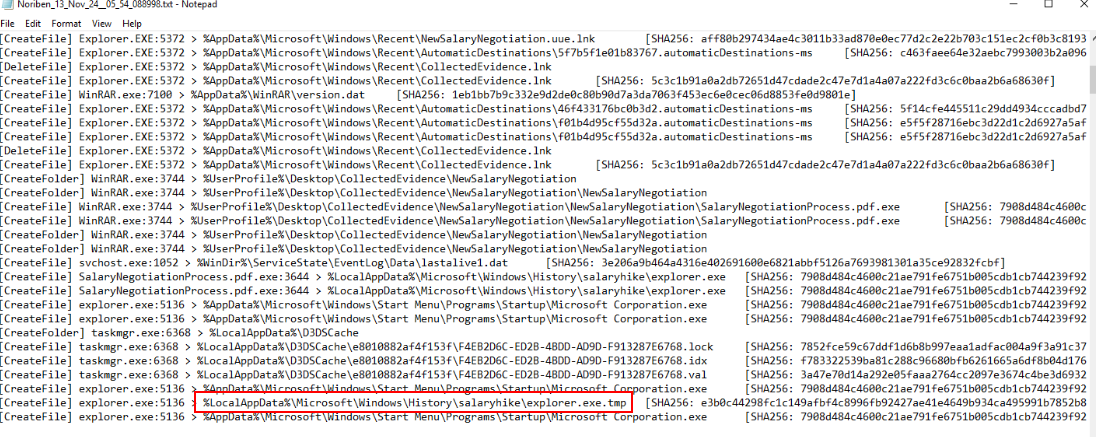
One thing we might notice that there is one more suspicious file created inside one of folder we found from previous question but we can not access this folder directly via Microsoft Explorer
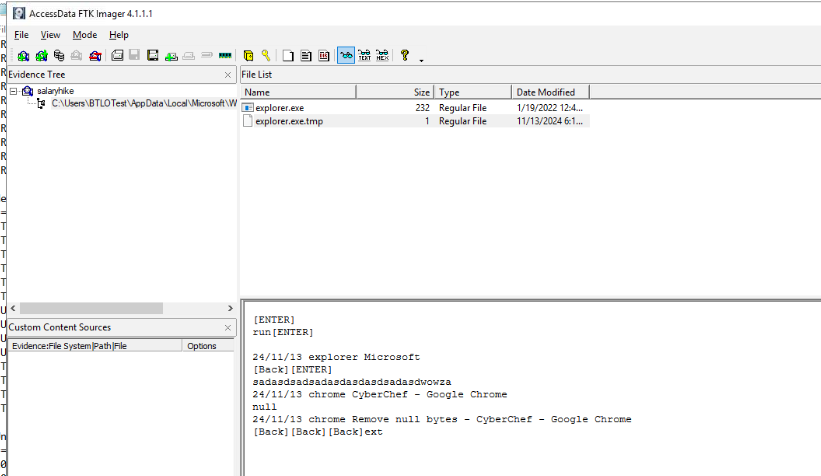
But its not the case when we can use FTK imager to open this folder, you can see that the tmp file we just found is a log file for keystrokes.
Answer
explorer.exe.tmpQ8) Submit the command-and-control server IP address, and the port used for communication (Format: X.X.X.X:Port)

Noriben used Procmon to analyze behavior of malware and saved Procmon log (PML) every time it executed so we can just open this log with Procmon and display only Network activity which we can see C2 server IP address and port from a copied of fake pdf as shown.
Answer
107.189.29.181:5005 https://blueteamlabs.online/achievement/share/52929/96